Getting Started
FundAdmin AI is a three-tier open-core platform for AI-powered fund administration.
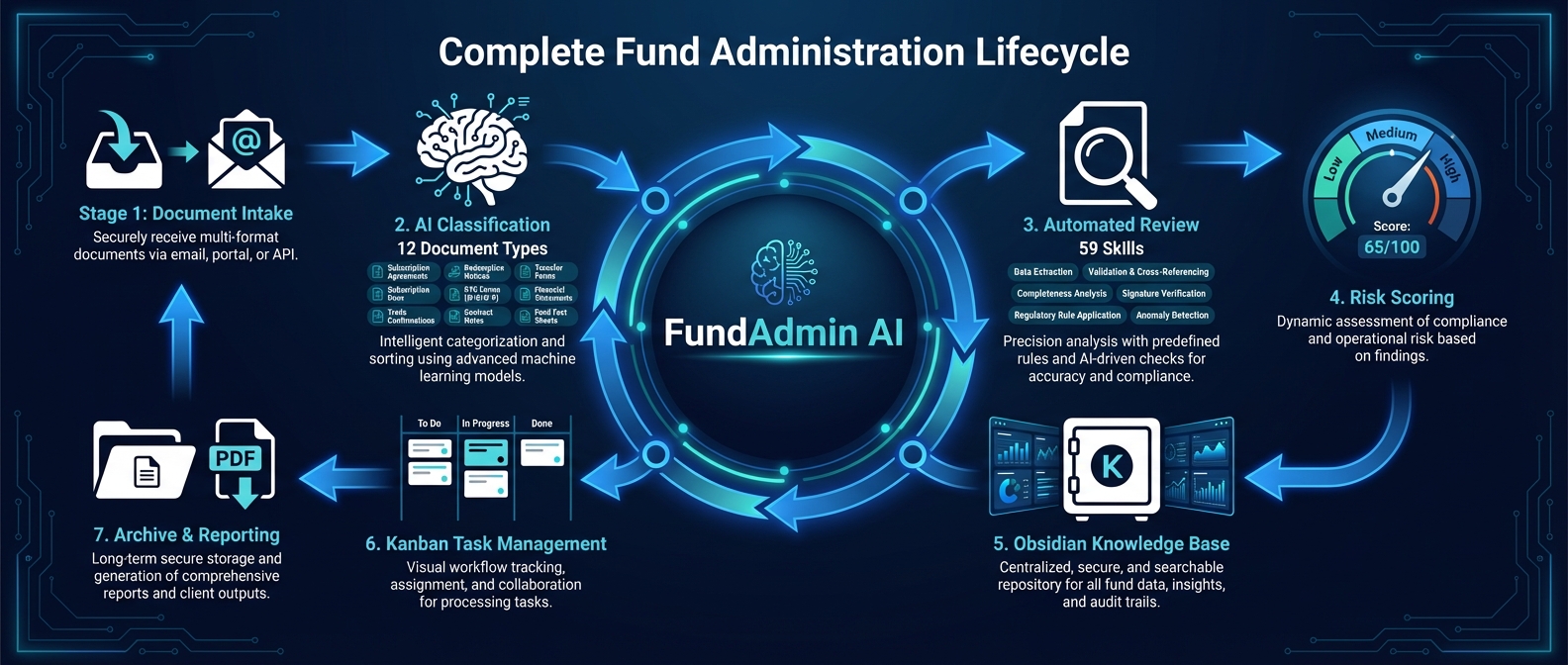
Tiers
| Tier | Description | License |
|---|---|---|
| T1 — Skills + CLI | 62 Claude Code skills in skills/, orchestrated via /fund. MCP vault server in mcp-vault-server/. | MIT |
| T2 — Obsidian Vault | fund-admin-vault/ — FileClasses, dashboards, kanban boards, schema v1 frontmatter. | MIT |
| T3 — Webapp | Next.js 16 dashboard (apps/web), background worker (apps/worker), WebSocket sidecar (apps/ws), Postgres + Drizzle. | Commercial |
T1 Quick Start (Skills + CLI)
bash
cd fundadmin-ai
./install.sh       # installs skills to ~/.claude/skills/ and agents to ~/.claude/agents/
Then in Claude Code:
/fund review-lpa path/to/lpa.pdfT3 Quick Start (Webapp)
bash
cd fundadmin-ai
cp .env.example .env            # add ANTHROPIC_API_KEY; AUTH_SECRET is auto-generated
pnpm install
docker compose up -d postgres
pnpm db:migrate
pnpm seed                       # seeds 3 funds, 20 investors, 13 issues, 7 inbox items
pnpm dev                        # web :3000 + worker + ws :3002
Open http://localhost:3000, sign in with a magic link (delivered to the console in dev), and complete onboarding to create your first workspace and fund.
Useful Commands
bash
# Run Python tests (T1 skill contracts, PDF generator, classifier, integration)
python3 -m unittest discover -s tests -v

# Typecheck the webapp
pnpm typecheck

# Run vitest unit tests
pnpm test

# Build docs
cd doc-site && npm run docs:build
Next Steps
- Architecture Overview — understand the three-tier system
- Commands Reference — all 62
/fundsub-skills - LPA Safety Score — how the 5-agent review pipeline works
- API Reference — REST endpoints